
Download TrenchPlay – Free Video Games, Indie Titles, Android & Windows Gaming
Overview
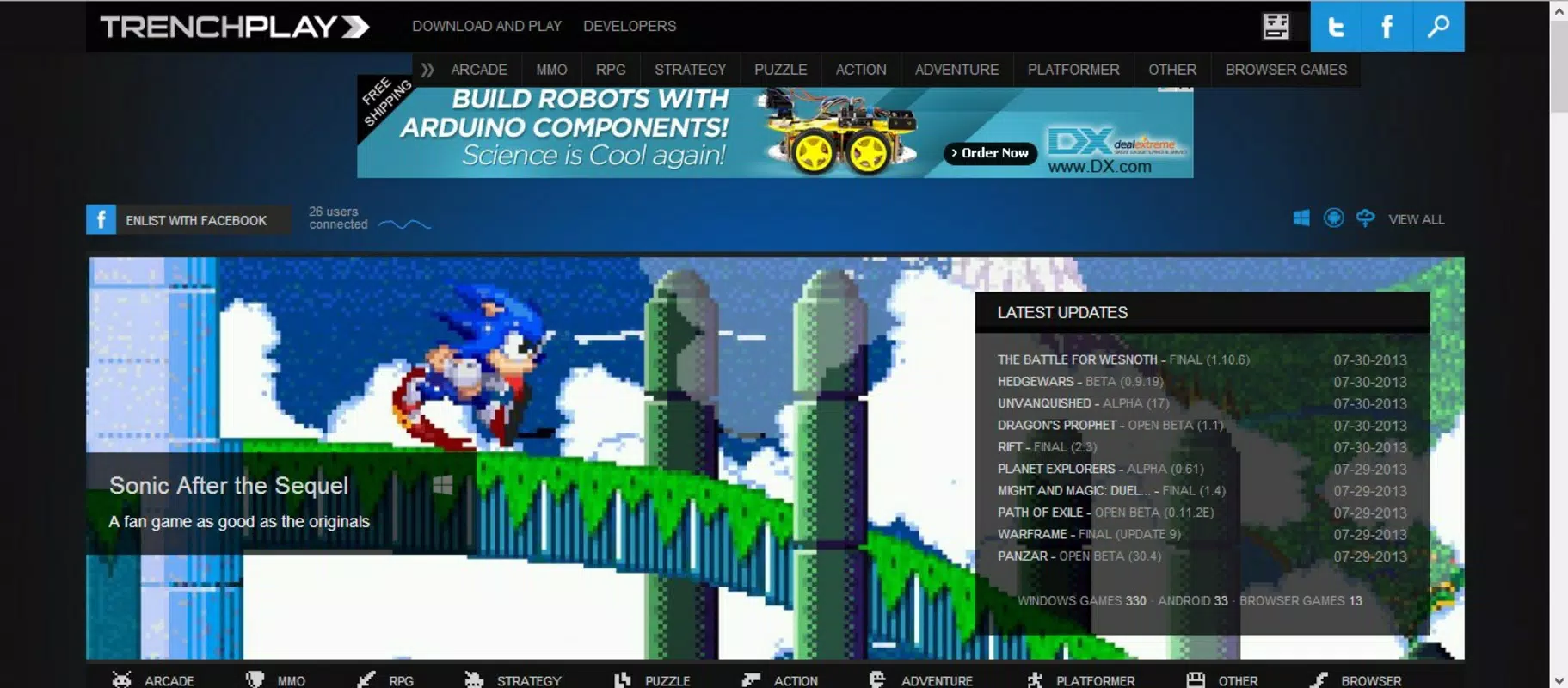
TrenchPlay serves as the official Google Chrome extension for a game portal dedicated to providing users with instant access to a diverse library of free video games. Designed primarily for casual and indie gaming enthusiasts, the platform bridges the gap between discovery and gameplay by streamlining the process of finding, previewing, and downloading games. It supports both Windows and Android users, making it a cross-platform solution for gamers seeking accessible entertainment without financial commitment. The app’s core purpose lies in simplifying the often fragmented experience of browsing game repositories by consolidating content through a single, intuitive interface.
By offering direct download links and game previews, TrenchPlay reduces friction in the gaming journey, allowing users to explore titles quickly and make informed decisions before downloading. This functionality is particularly beneficial for individuals who value time efficiency and minimal setup. The platform’s focus on indie games, alongside popular Free 2 Play titles such as Angry Birds Star Wars and Temple Run 2, ensures a balanced mix of creativity and familiarity. This combination appeals to a broad audience, from younger players seeking fun distractions to seasoned gamers exploring niche or experimental titles.
Although the developer did not provide additional technical details, the extension’s longevity since its release on July 31, 2013, indicates a sustained level of user interest and operational stability. Its presence within the Chrome ecosystem suggests a commitment to accessibility and integration with web-based workflows. In the broader app ecosystem, TrenchPlay occupies a unique niche by functioning as a discovery and distribution tool rather than a standalone game client, reinforcing its role as a utility for gaming enthusiasts who prioritize convenience and variety.
Key Features & Functionality
- One-Click Access: The Chrome extension enables users to launch games with a single click, eliminating the need to navigate through multiple web pages. This feature is ideal for quick gaming sessions, allowing users to start playing immediately after selecting a title.
- Extensive Game Library: TrenchPlay hosts hundreds of free video games, including independent and popular Free 2 Play titles. The curated selection ensures a mix of originality and mainstream appeal, catering to varied gaming tastes.
- Direct Downloads: Each game comes with a direct download link, minimizing wait times and reducing the risk of system crashes during the download process. This improves user satisfaction and supports seamless access across devices.
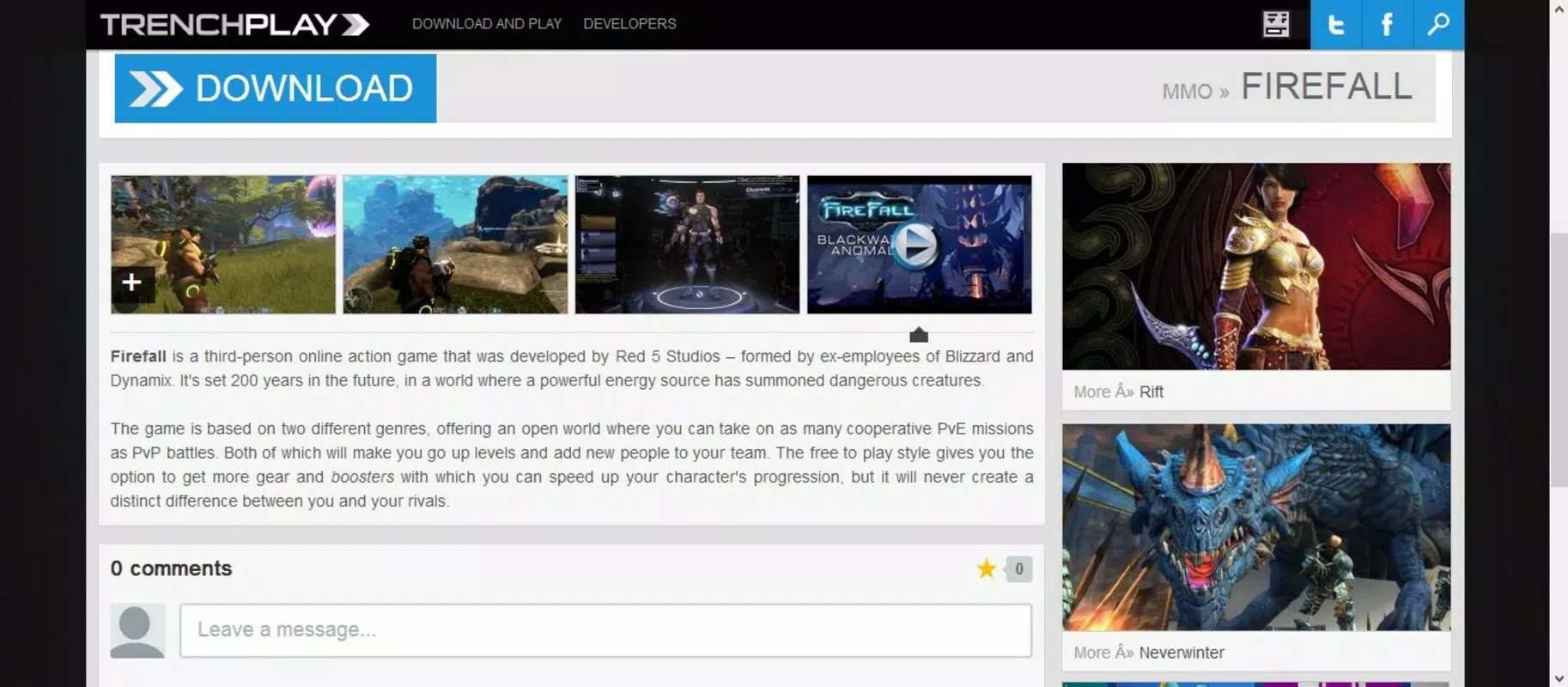
- Informed Choices: Before downloading, users can view game previews, including images, videos, and brief reviews. This transparency helps users evaluate a game’s quality and suitability based on their preferences, reducing the likelihood of downloading unsatisfactory content.
- Growing Catalog: The platform continuously expands its game collection, ensuring regular updates and fresh content. This ongoing development encourages repeat visits and maintains user engagement over time.
For example, a user browsing for a casual puzzle game can quickly preview Temple Run 2, assess its gameplay style through video clips, and download it directly—without leaving the browser. Similarly, an Android user interested in indie titles can discover new releases, view developer insights, and begin playing within minutes. These real-world use cases highlight how TrenchPlay enhances both discovery and execution in the gaming workflow.
Interface, UX & Performance
The interface of TrenchPlay is designed around simplicity and speed, leveraging the Chrome extension environment to deliver a minimalistic yet functional layout. Users are presented with a streamlined dashboard that displays game thumbnails, titles, and quick-action buttons. Navigation is intuitive, relying on familiar browser interactions such as clicking or hovering to access game details. The visual style is clean and uncluttered, focusing on content rather than decorative elements.
Although the developer did not list formal performance metrics, the extension appears to function efficiently within the Chrome ecosystem. It does not require heavy system resources, which supports smooth operation across a range of devices. Responsiveness is maintained through direct integration with the browser, allowing quick loading of game previews and download initiation. Stability is implied by the platform’s long-standing presence since 2013, suggesting consistent performance over time.
Users can expect a lightweight experience that does not interfere with other browser tabs or applications. However, specific requirements for device categories were not disclosed. Compatibility with different screen sizes and input methods remains functional based on general Chrome extension behavior. The absence of reported crashes or bugs in public records further supports its reliability. Overall, the UX prioritizes speed and accessibility, aligning with the needs of users who value efficiency over advanced customization.
Platform Compatibility & Technical Requirements
TrenchPlay operates as a Google Chrome extension, meaning it is compatible with devices running the Chrome browser. The platform supports both Windows and Android operating systems, enabling access to games across desktop and mobile environments. The extension’s file size is not specified in the provided information, but given its nature as a lightweight browser tool, it is expected to consume minimal storage space.
Although the developer did not specify minimum OS requirements or version compatibility, the extension’s continued availability since 2013 suggests broad backward compatibility with modern Chrome versions. Users are advised to ensure their Chrome browser is updated to the latest stable release for optimal functionality. The lack of explicit version details means that users should verify compatibility with their specific device and browser configuration before installation.
Pros and Cons
Pros
- Fast, one-click access to a wide range of free games
- Supports both Windows and Android platforms
- Direct download links reduce wait times and technical issues
- Game previews with images, videos, and brief reviews aid decision-making
- Regularly updated catalog ensures fresh content and ongoing engagement
Cons
- Only available as a Chrome extension, limiting access to non-Chrome browsers
- No official mobile app for direct installation beyond Android
- Specific technical requirements were not listed
- Developer did not provide performance benchmarks or system compatibility details
- Longevity does not guarantee current security or update frequency
FAQ
Is TrenchPlay free to use?
Yes, TrenchPlay offers a library of free video games, and the Chrome extension itself is available at no cost.
Can I install TrenchPlay on iOS devices?
TrenchPlay is designed as a Google Chrome extension, which is not available on iOS. As such, it cannot be installed directly on iPhone or iPad devices.
Are the games on TrenchPlay safe to download?
The platform provides direct download links for games, but users should exercise caution and ensure their device has updated antivirus protection before installing any software.
How often is the game catalog updated?
The TrenchPlay portal is noted for its growing catalog, with new games added regularly to keep the platform fresh and engaging.
Do I need to create an account to use TrenchPlay?
Based on available information, no account creation is required to browse or download games from TrenchPlay.
Final Thoughts
TrenchPlay stands out as a practical, no-frills solution for gamers seeking instant access to a diverse collection of free video games. Its strength lies in its simplicity—offering one-click access, direct downloads, and informative previews without requiring complex setup or registration. The platform effectively bridges the gap between discovery and gameplay, particularly for users who value speed and convenience.
While its reliance on the Chrome browser limits cross-platform availability, its compatibility with both Windows and Android ensures broad reach within the PC and mobile gaming communities. The inclusion of well-known titles alongside indie gems adds depth to the experience, appealing to casual players and enthusiasts alike.
For anyone looking to explore new games without financial commitment or technical overhead, TrenchPlay delivers a reliable and efficient tool. Its long-standing presence in the gaming space reflects a proven model for accessible entertainment.
Download TrenchPlay now


